Summarize any YouTube video in seconds
Paste a link and Sumbl reads the transcript for you: key points, chapters with timestamps and the full transcript, in your language.
How it works
From link to key points in three steps
No extensions, no sign-up. Sumbl does the watching so you can decide what's worth your time.
- 01
Paste a link
Copy any YouTube link (a regular video, a Short or a live stream) and drop it into the box above.
- 02
AI reads the transcript
Sumbl pulls the video's captions and reads every line, picking out what matters and when it's said.
- 03
Get your summary
Key points stream in within seconds, with chapters, timestamps and the full transcript a tap away.
Features
Everything you need to get the gist
Summaries, chapters and transcripts are free on the web. The Sumbl app turns them into a library you can talk to.
Instant summaries
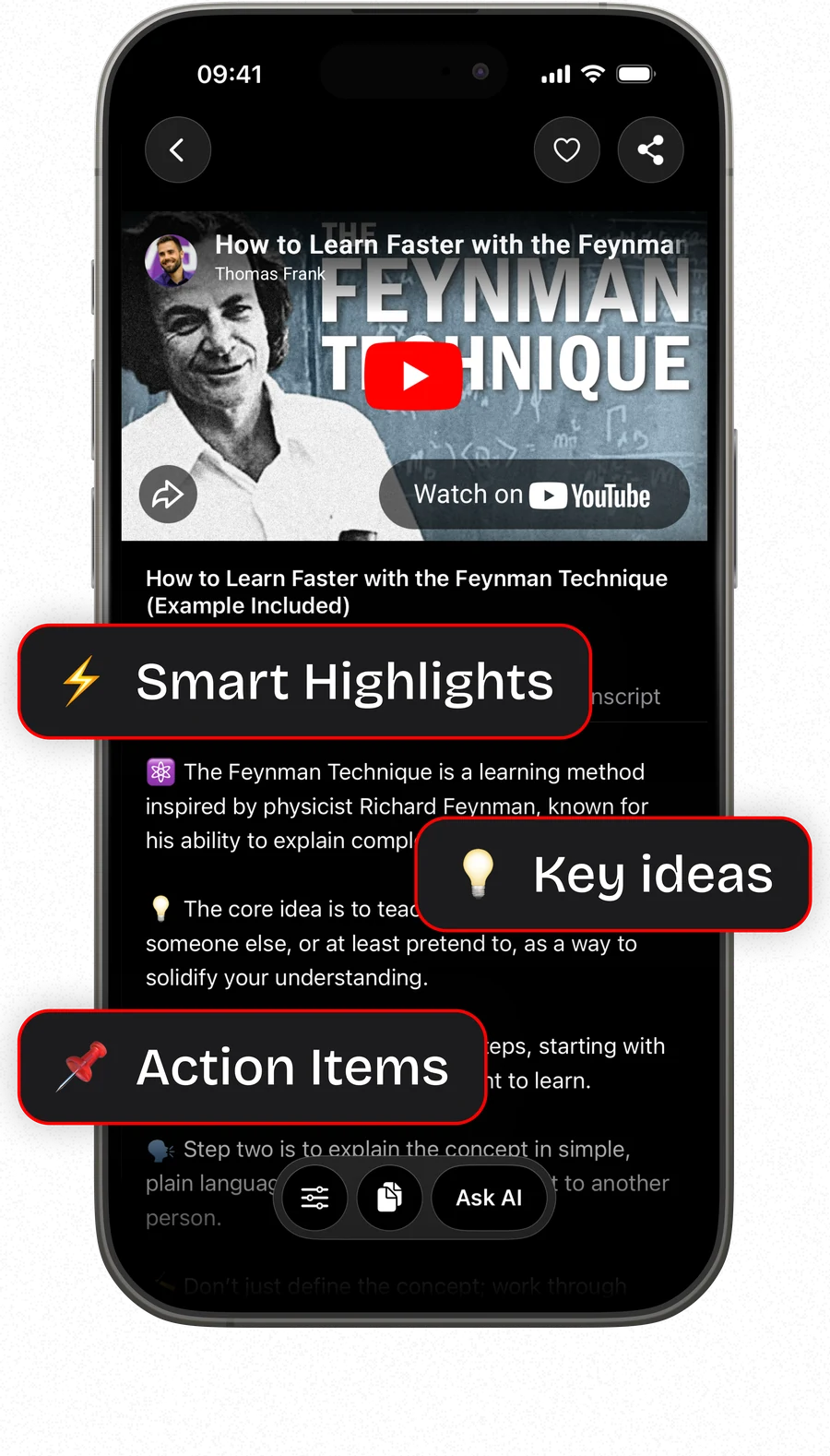
The key points of any video in seconds, as clear, skimmable takeaways.
Chapters with timestamps
Every chapter links to the exact moment, so you can jump straight to the part you need.
15 languages
Read the summary in English, Spanish, Japanese and 12 more, whatever language the video is in.
- In the app
Chat with AI about the video
Ask follow-up questions and get answers based on what was actually said.
- In the app
Read aloud
Listen to any summary hands-free: on a walk, a commute or between meetings.
- In the app
Folders
Keep summaries organized by topic, project or course, and find them again in a second.
- In the app
iCloud sync
Your summaries follow you across iPhone and iPad, synced privately through iCloud.
- In the app
Share from YouTube
Tap Share in the YouTube app, pick Sumbl, and the summary starts right away.

For iPhone and iPad
Sumbl AI YouTube Video Summary
Your YouTube library, distilled
Sumbl for iOS keeps every summary you make, lets you chat with AI about any video and reads summaries aloud, so you can learn from more videos in less time.
- Unlimited SummariesSummarize any YouTube video in seconds
- Chat with AIAsk questions about the video's content
- Export & ShareExport summaries in all popular formats or share with friends
- Priority AI AccessPriority access to advanced AI models
FAQ
Questions, answered
Everything about the free web summarizer and the Sumbl app. Still curious? We're one email away.
Yes. On the web you get 3 free summaries every 24 hours, with no account and no sign-up. For unlimited summaries, get the Sumbl app for iPhone and iPad.
Get Sumbl on the App StoreAny public YouTube video: regular watch links (youtube.com/watch?v=…), short youtu.be links, Shorts, live streams and embed links. You can also paste just the 11-character video ID.
15 languages: English, German, Spanish, French, Hindi, Indonesian, Italian, Japanese, Korean, Polish, Portuguese (Brazil), Russian, Turkish, Ukrainian and Simplified Chinese. The video can be in a different language. Sumbl writes the summary and chapters in the one you pick.
Sumbl works from a video's captions, including YouTube's auto-generated ones. If a video has no captions at all (some music videos, or videos where captions are turned off), it can't be summarized yet, and you'll see a message instead.
Summaries are written by AI from the full transcript, so they follow what is actually said in the video. AI can still miss nuance or get a detail wrong, so use the chapter timestamps to jump to the source and double-check anything important.
No. Summaries you create on the web aren't saved to an account or stored on our servers. They live in your browser tab until you close it. To enforce the free limit we keep only the times of your last few summaries, tied to a one-way hash of your network address, never the address itself.
Read the Privacy PolicyThe free web version allows 3 summaries per visitor in any 24 hours, plus an overall daily cap that keeps it free for everyone. Each summary frees up again 24 hours after you made it. The Sumbl app has no limit.
The website is the fastest way to summarize one video. The Sumbl app for iPhone and iPad adds unlimited summaries, chat with AI about any video, read-aloud, folders, iCloud sync across your devices, export and sharing, and a Share shortcut straight from the YouTube app.
See Sumbl on the App StoreEmail us at support@sumbl.app with questions, bug reports or feature ideas.
Send us an email